
Overview
The Confine Tools provide a complete set of operations for cleaning, trimming, and refining TIN surfaces in SPCAD. These tools help users precisely define the extent of their surfaces, eliminate unwanted data, and prepare terrain models for volume analysis, export, and presentation.
By using the Confine tools effectively, CAD professionals can maintain optimized surfaces that are ideal for volume analysis, design integration, and GIS exports. Each tool serves a unique function in preparing TIN surfaces for visualization, documentation, or construction workflows.
The tools available include:
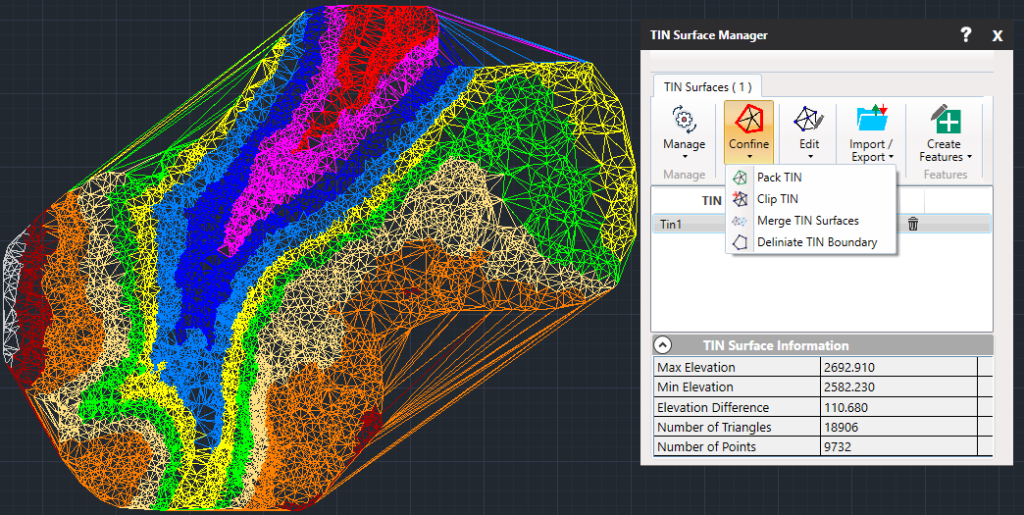
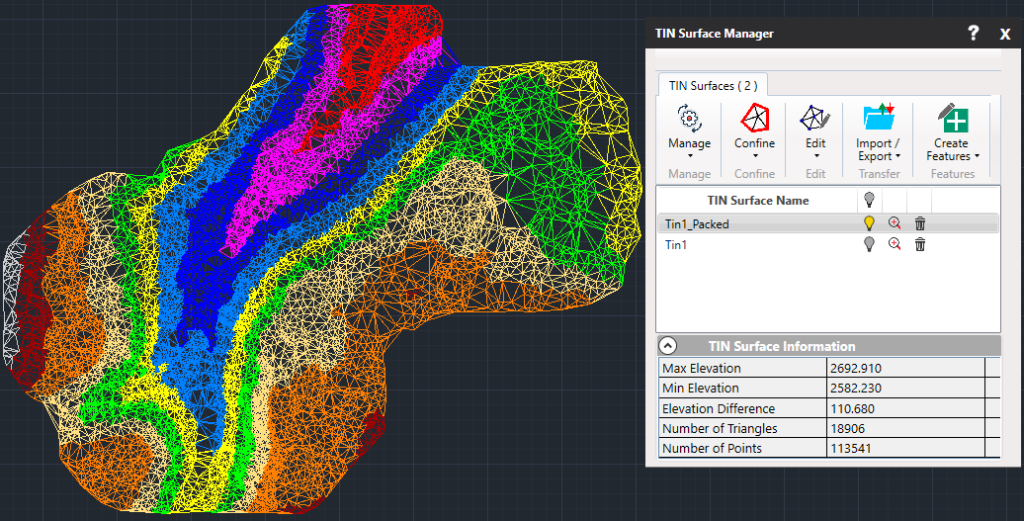
- Pack TIN – This command removes unnecessary outer triangles that are automatically created during triangulation. By cleaning the surface edges, this tool refines the boundary shape and improves model accuracy.
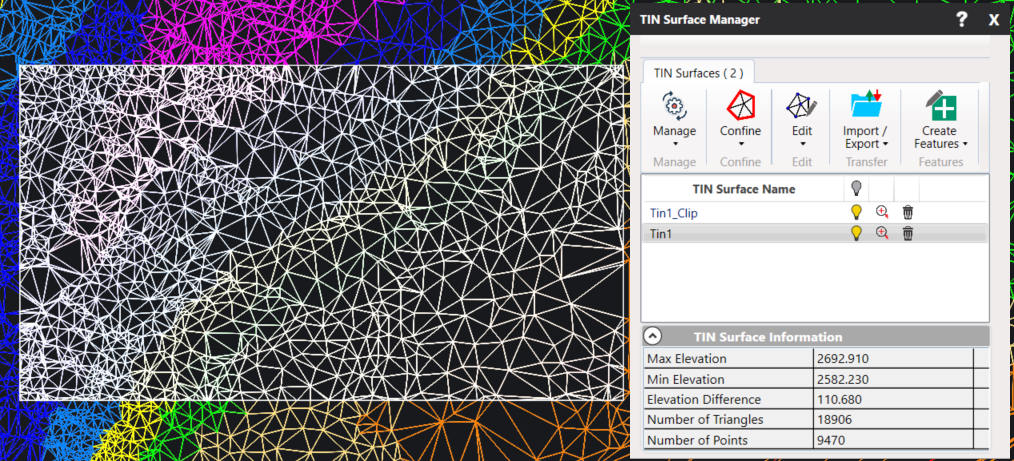
- Clip TIN – Trims a surface using a user-defined polygonal boundary.
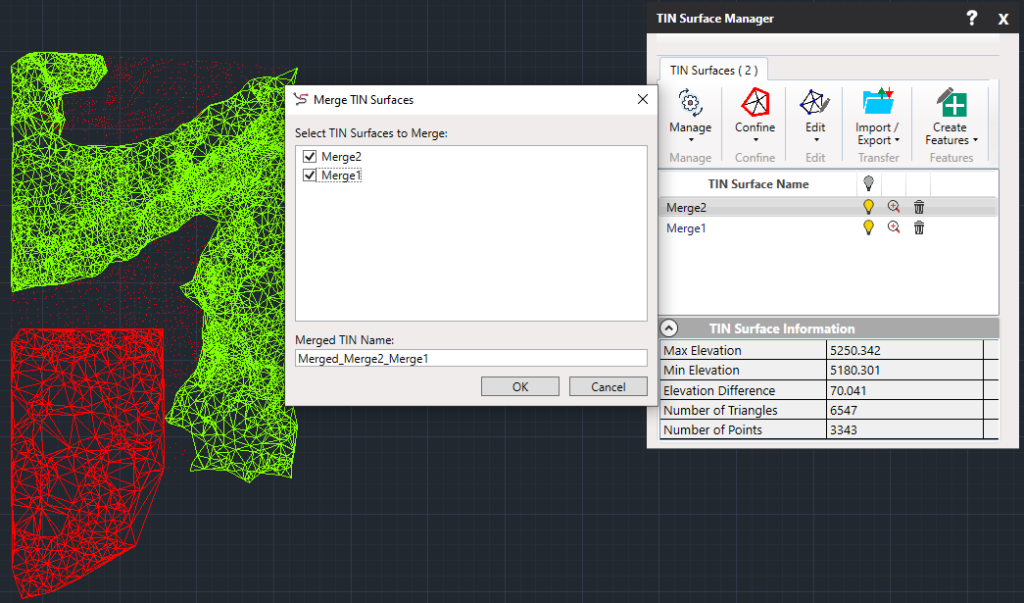
- Merge TIN Surfaces – This command combines two or more existing surfaces into a single unified terrain. It ensures continuity and removes overlaps between adjacent models.
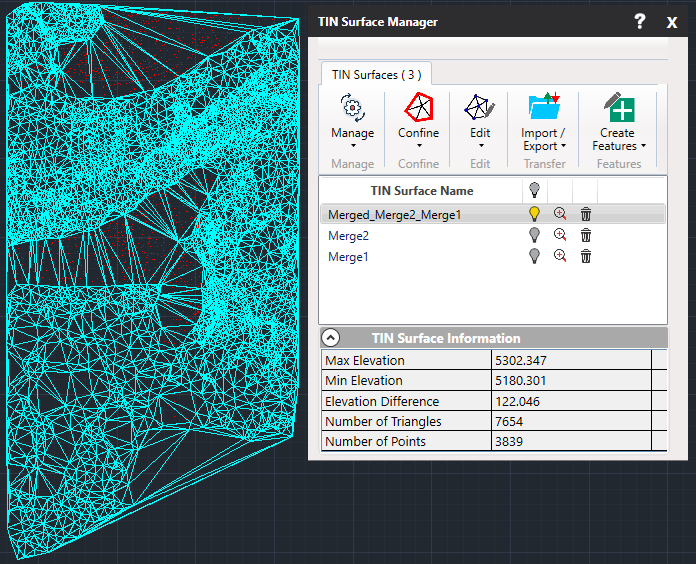
- Delineate TIN Boundary – This tool extracts a closed polyline that represents the exact outermost triangle edges of your TIN surface. This is useful for mapping, labeling, and exporting accurate surface boundaries.
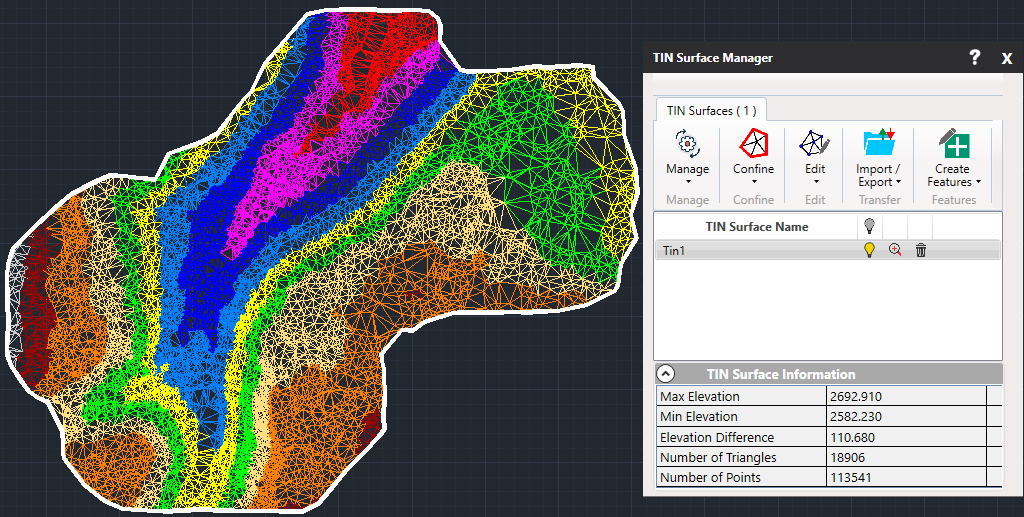
These tools are particularly useful when preparing TINs for volume analysis, exporting to external formats, or creating accurate visual boundaries on maps and engineering drawings.