
Export Options in SPCAD: Streamline Your Data Sharing
Export Capabilities
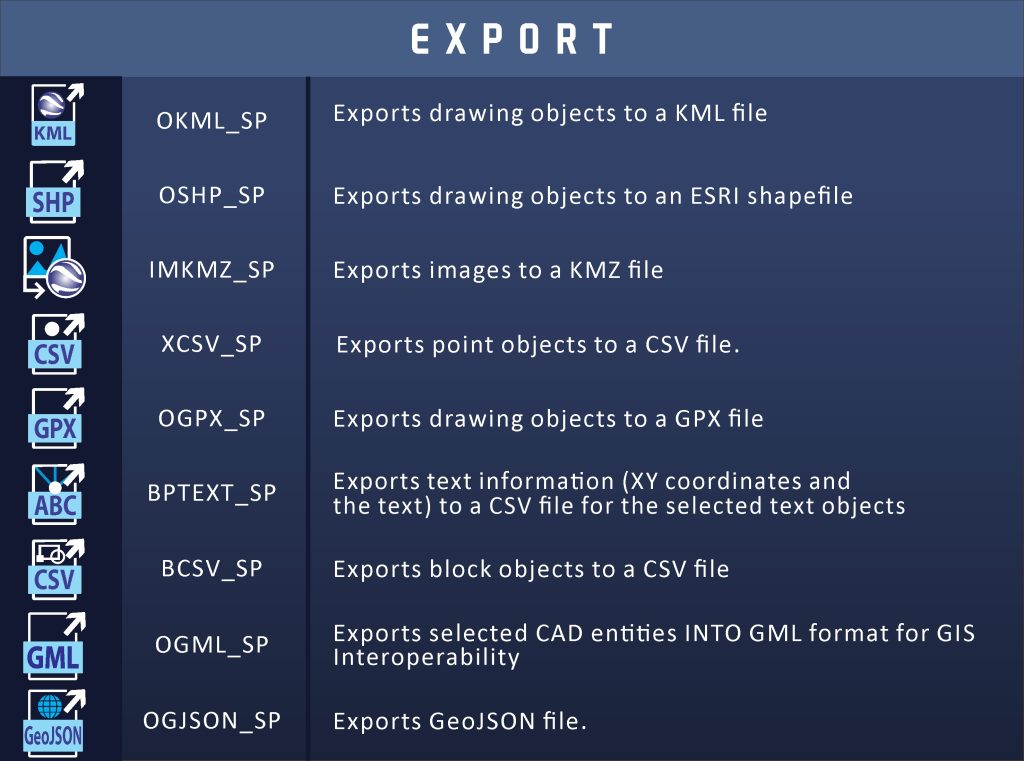
SPCAD offers various export options, ensuring seamless data sharing across different platforms. Each export type serves a specific purpose, enhancing project efficiency. Transitioning between CAD and GIS applications becomes easier with these tools. Moreover, exporting data ensures the accurate transfer of information, preserving all essential details. Below are the key export options available in SPCAD.
Export KML
First, the Export KML tool allows you to convert CAD data into a KML format. This format is ideal for visualizing your design in Google Earth. By exporting KML files, you ensure your geospatial data remains intact. Additionally, KML files allow for easy sharing and integration with other GIS platforms.
Export SHP
Next, the Export SHP tool is crucial for projects requiring precise spatial data exchange. Exporting SHP files allows for seamless integration with various GIS applications. This tool ensures your spatial data maintains its integrity during the transfer process. Consequently, your data remains accurate and reliable.
Export Image to KMZ
Moreover, the Export Image to KMZ tool allows you to convert raster images into KMZ files. This conversion preserves the geographic coordinates, ensuring accurate placement. By using this tool, you ensure your images align perfectly with the Earth’s surface. This accuracy is essential for projects involving satellite imagery.
Export Points to CSV
Furthermore, the Export Points to CSV tool is ideal for managing large datasets. Exporting point data to a CSV file simplifies data organization and analysis. This tool ensures that all relevant information, including coordinates, is easily accessible. Consequently, you can streamline data management tasks efficiently.
Export GPX
Additionally, the Export GPX tool allows you to share GPS data effectively. Exporting GPX files ensures your location data is compatible with various GPS devices. This compatibility enhances the utility of your data across different platforms. Therefore, your projects benefit from accurate and consistent GPS data.
Export Text Points
Next, the Export Text Points tool is designed to manage text objects within your CAD drawings. This tool exports text information, including coordinates, to a CSV file. By organizing textual data efficiently, you ensure easy access and analysis. This process enhances the clarity and functionality of your CAD projects.
Export Blocks to CSV
Moreover, the Export Blocks to CSV tool is essential for managing block data. Exporting blocks to a CSV file allows for detailed data analysis and organization. This tool ensures all block information is accurately transferred, simplifying data management tasks.
Export GeoJSON
Finally, the Export GeoJSON tool is vital for sharing geospatial data in a standardized format. Exporting to GeoJSON ensures compatibility with various GIS platforms. This tool preserves all spatial attributes, ensuring accurate data transfer. Consequently, your geospatial data remains reliable and useful across different applications.
Export GML
Exports selected CAD entities into GML format for GIS interoperability.