
Overview
The Edit Points section in the Point Group Manager gives users complete control over all points in a selected point group. It allows users to review, correct, and modify point attributes such as coordinates, elevations, and descriptions. This section is ideal for both quality checks and quick updates to point data. Users can perform bulk editing, targeted corrections, and filtering—all through a user-friendly interface within SPCAD.
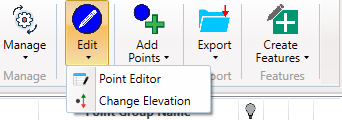
Point Editor
The Point Editor in SPCAD offers a spreadsheet-style interface for editing point attributes, including Point Number, Easting, Northing, Elevation, and Description. Each attribute can be modified directly by clicking on the corresponding cell. Multiple points can be selected simultaneously, and pagination tools make large datasets easy to manage.
Toolbar Options Include:
- Select/Deselect Points
- Zoom to Selected Points
- Delete Selected Points
- Apply Filter
- Create a new point group from Selected Points
The Point Editor also connects seamlessly with the Query Builder / Filter Dialog, which enables advanced filtering. Users can define SQL-like conditions using fields such as Elevation or Description, apply logical operators, and filter based on unique values. This helps create precise selections for batch editing or creating refined point groups.
Change Elevation
The Change Elevation function enables users to adjust point elevations across a group quickly and consistently. There are two adjustment modes:
- Absolute Value: Assign a fixed elevation to all selected points.
- Relative Adjustment: Apply a vertical offset—positive or negative—to the existing elevations.
This flexibility is particularly useful for survey corrections, design revisions, or project datum shifts where an entire dataset needs to be raised or lowered efficiently.es.