
Create Buffer Around Polygon Tool in SPCAD
In CAD, buffers are crucial for creating defined zones around polygons, aiding in spatial analysis and planning. These buffers help delineate impact areas, safety zones, and regions of interest, which are essential for applications like urban planning, environmental management, and infrastructure development. By generating buffers around polygons, users can visualize and measure the influence or protected area around a feature, facilitating better decision-making and ensuring regulatory compliance.
The “Buffer Around Polygon” tool in SPCAD allows users to create a specified distance buffer around selected polygons.
How to Use the “Buffer Around Polygon” Tool in SPCAD
- Access the Tool:
First, ensure that you have polygons imported into your drawing. Then, go to the Analysis panel, and under the ‘Buffer’ dropdown, select “Buffer Around Polygons.” Alternatively, you can type BFPG_SP in the command prompt to access the tool directly. - Select the Polygons:
Next, select the polygons you want to draw a buffer around and press ENTER. Make sure you select all relevant polygons to include in the buffer zone. - Enter Buffer Distance:
After selecting the polygons, enter the desired buffer distance. This distance defines how far the buffer extends from each polygon, creating a zone around the polygons based on your specified measurement.
You will be prompted to choose whether to merge the buffers. Select YES to combine overlapping buffers into a single zone, or NO to keep them separate. The buffer around your polygons will be created based on your choice. By following the steps to select polygons, enter buffer distances, and choose merging options, you can efficiently generate buffers that meet your needs. This tool enhances the precision of your CAD drawings and is essential for effective design and analysis.
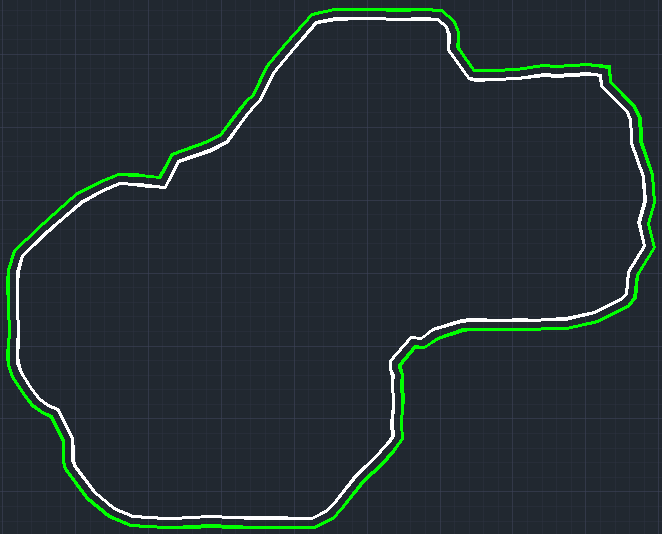
By following the straightforward steps to select polygons, enter buffer distances, and choose merging options, you can efficiently generate buffers. This tool enhances the precision of your CAD drawings and is essential for effective design and analysis. For more detailed information on SPCAD tools, visit our website or YouTube channel.