
Overview
The Split Polyline tool in SPCAD helps CAD users divide polylines into separate segments for precise editing and modification. In many cases, polylines represent roads, pipelines, or boundaries in CAD drawings. With this tool, you can easily break a continuous polyline into multiple sections, therefore gaining greater control and flexibility in your design.
Furthermore, splitting polylines allows you to apply different properties to each segment, adjust lengths more accurately, and analyze specific sections individually. As a result, this tool improves workflow efficiency while ensuring your CAD drawings remain both precise and well-organized.
How to Use the Split Polyline Tool
Using the Split Polyline tool in SPCAD is simple and efficient. Follow these steps to split a polyline into separate segments:
- Access the Tool
Begin by navigating to the Analysis panel. Select ‘Split Polyline’ or type SPLT_SP into the command prompt. - Select the Polyline
After selecting the tool, your cursor will prompt you to choose the polyline that you want to split. Click on the polyline that needs to be divided into segments. - Specify the Split Points
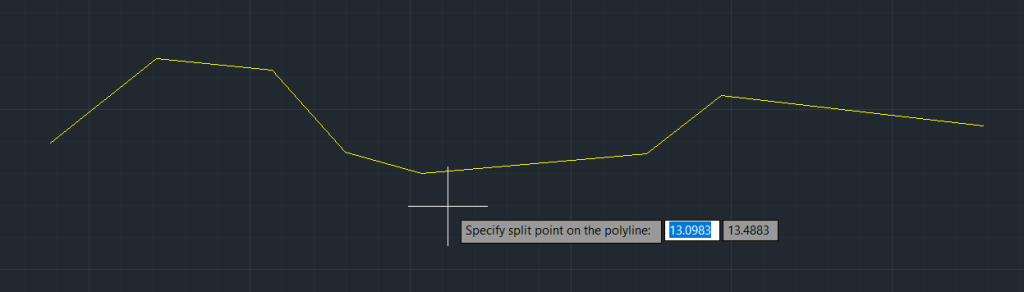
With the polyline selected, specify the points where you want to split the line. You can click multiple points along the polyline to create several segments. - Execute the Split
Once the split points are set, press Enter.
The tool will then divide the polyline at the specified points, creating separate segments that can be individually edited.
Benefits of using Split Polyline
- Workflow efficiency: Quickly split polylines so that you can edit without affecting other elements.
- Enhanced control: Moreover, work with specific sections independently to manage your design more effectively.
- Improved accuracy: In addition, apply properties and make precise adjustments to each segment for better results.
- Design flexibility: Finally, easily modify, extend, or analyze individual parts as needed to refine your CAD drawings.