
Create Polygon from Points Tool SPCAD: Essential for CAD Projects
The Create Polygon from Points in SPCAD is a fundamental feature for CAD projects. This tool allows professionals to convert point data into cohesive shapes, essential for defining areas, boundaries, and regions in various applications.
Creating polygons from points is a fundamental task in CAD, essential for defining areas, boundaries, and regions. This tool is crucial for urban planners, architects, surveyors, and engineers who need to transform point data into cohesive shapes, such as property boundaries, building footprints, or land parcels. By converting individual points into closed polygons, professionals can conduct area calculations, overlay analysis, and spatial planning more effectively. It ensures that all points are accurately connected, creating precise and reliable polygons for various applications.
Steps to Use
- Access the Tool
Go to the Analysis panel in SPCAD. Then, navigate to the ‘Draw’ dropdown menu and select “Create Polygon from Points.” Alternatively, you can type CPG_SP in the command prompt to access the tool directly. - Select Points
The cursor will prompt you to choose the points that you want to connect into a polygon. Carefully select the points in the order you want them connected. The order is crucial as it determines the shape of the polygon. - Confirm Selection
After selecting all the desired points, press Enter. - Generate the Polygon
The tool will then create a closed polyline connecting the selected points, transforming individual data points into a cohesive polygon.
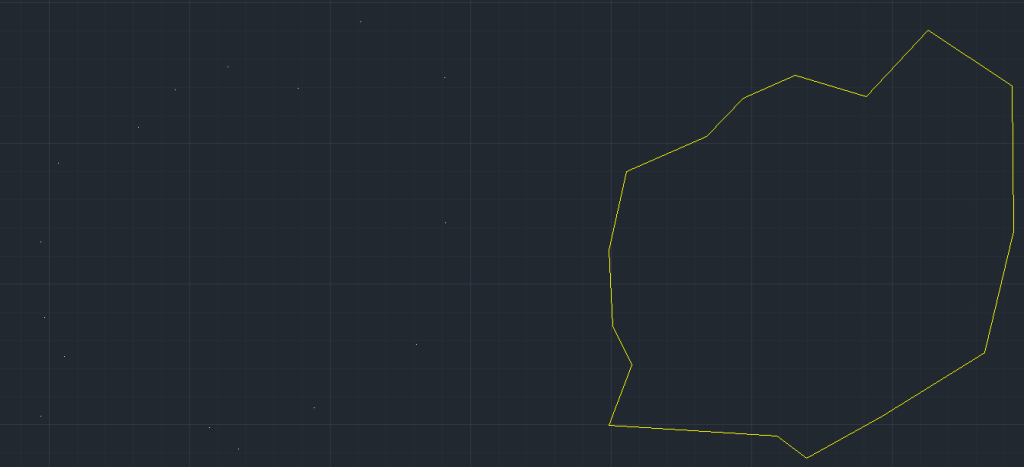
Practical Applications
The Create Polygon from Points tool is invaluable for mapping and defining areas in various fields. Urban planners can use it to delineate zoning boundaries, while architects can define building footprints. This tool simplifies the process of transforming point data into polygons, ensuring that all points are connected accurately to form meaningful shapes.
Conclusion
Incorporating the Create Polygon from Points tool into your CAD projects enhances your ability to create precise and reliable polygons from point data. This not only improves the accuracy of your drawings but also makes your spatial analysis more efficient and actionable. For more detailed information on SPCAD tools, visit our website or YouTube channel.